- Search for and open
Windows Firewall. - Select Advanced Settings on the left.
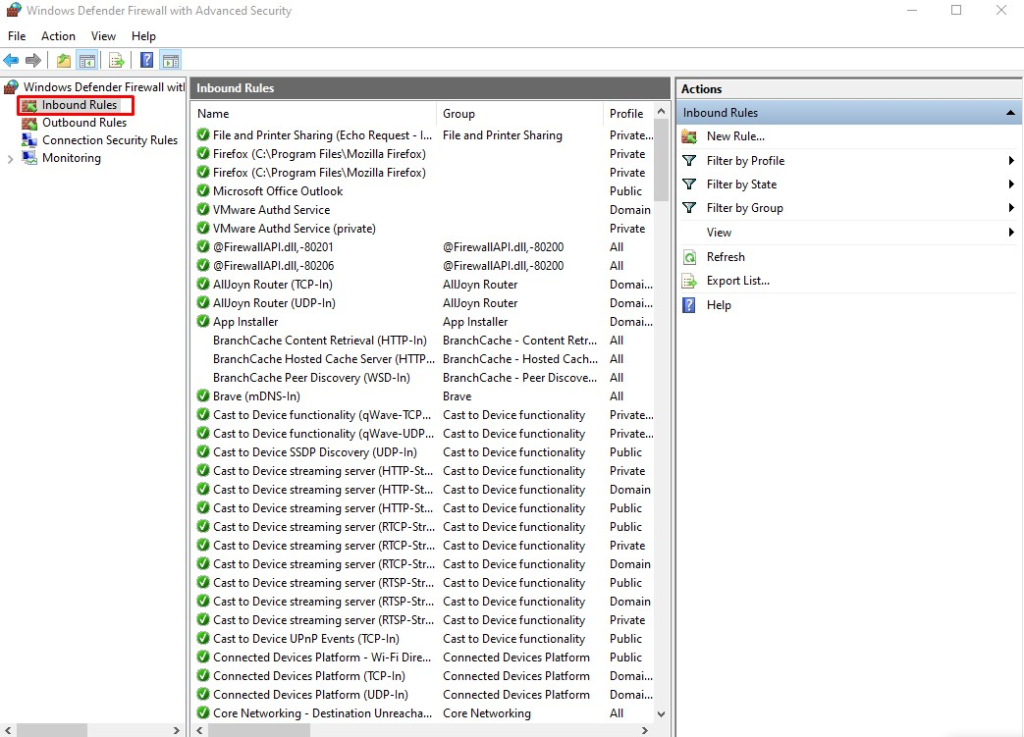
- From the left pane of the resulting window, select Inbound Rules.
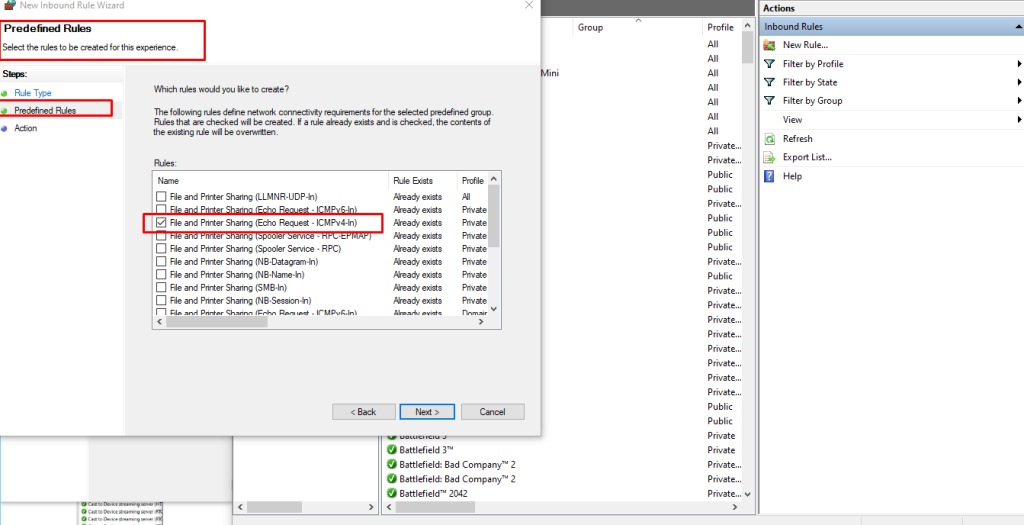
- In the right pane, find the rules titled File and Printer Sharing (Echo Request – ICMPv4-In).
- Right-click each rule and choose Enable Rule.
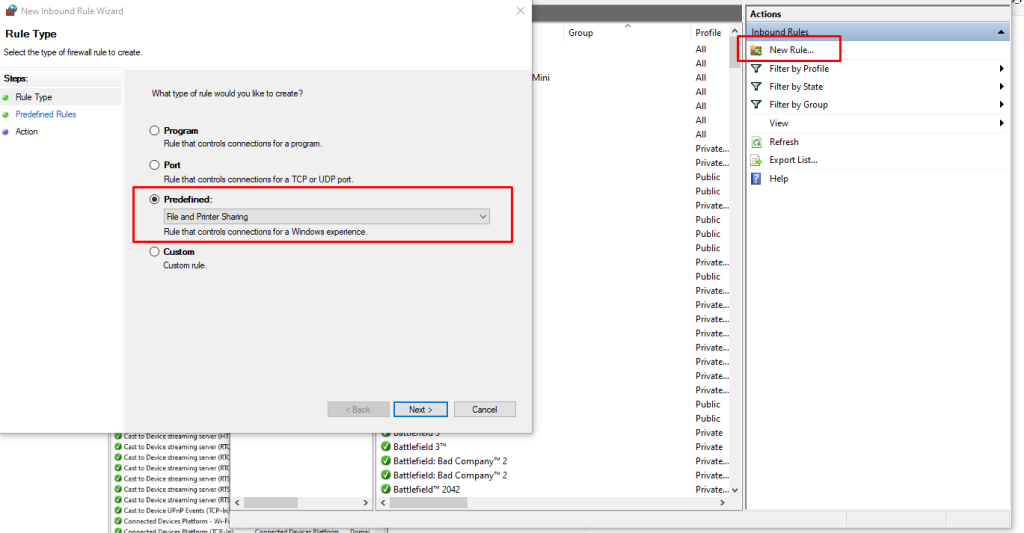
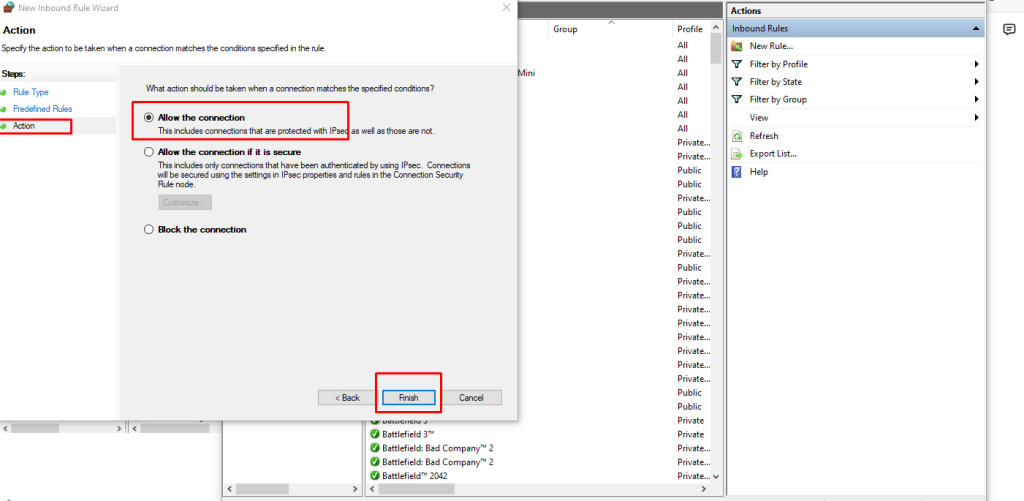
Finally …
DONE #